基本使用
使用 hook 进行打印 (推荐)
| Test Name | Test |
|---|---|
| Canvass | |
| Dynamic Content From Prop | old boring text |
| Fonts | Some Cool Font Text |
| Image: Local Import | 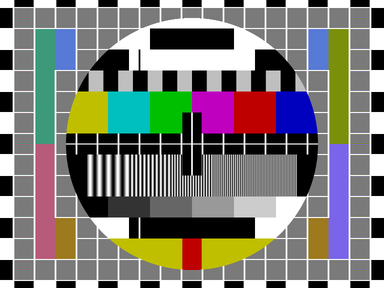 |
| Image: URL |  |
| Input | |
| Input: Checkbox | |
| Input: Date | |
| Input: Radio | Blue Red |
| Select | |
| TextArea | |
| SVG | |
| Video | |
| Video: With Poster | |
| Broken Image |
点击查看代码
vue
<script setup lang="ts">
import { useVueToPrint } from "vue-to-print";
import { reactive, ref } from "vue";
import ComponentToPrint from "./ComponentToPrint.vue";

const componentRef = ref();
const state = reactive({ text: "old boring text" });

const { handlePrint } = useVueToPrint({
  content: componentRef,
  documentTitle: "AwesomeFileName",
  removeAfterPrint: true
});
</script>

<template>
  <ion-button @click="handlePrint">Print</ion-button>
  <component-to-print ref="componentRef" :text="state.text" />
</template>

<style scoped></style>
vue
<script setup lang="ts">
import { onMounted, ref, toRefs } from "vue";
import image from "./img.png";

import "./example.css";

const props = defineProps({
  text: String
});
const { text } = toRefs(props);

const checked = ref(false);
const canvasEl = ref();

const handleCheckboxOnChange = () => {
  checked.value = !checked.value;
};

onMounted(() => {
  const ctx = canvasEl.value.getContext("2d");
  if (ctx) {
    ctx.beginPath();
    ctx.arc(95, 50, 40, 0, 2 * Math.PI);
    ctx.stroke();
    ctx.fillStyle = "rgb(200, 0, 0)";
    ctx.fillRect(85, 40, 20, 20);
    ctx.save();
  }
});
</script>

<template>
  <div class="relativeCSS">
    <component :is="'style'" type="text/css" media="print"> @page { size: landscape; } </component>
    <div class="flash"></div>
    <table class="testClass">
      <thead>
        <tr>
          <th class="column1">Test Name</th>
          <th>Test</th>
        </tr>
      </thead>
      <tbody>
        <tr>
          <td>Canvass</td>
          <td>
            <canvas height="100" ref="canvasEl" width="200">
              Your browser does not support the HTML5 canvas tag.
            </canvas>
          </td>
        </tr>
        <tr>
          <td>Dynamic Content From Prop</td>
          <td>{{ text ?? "Custom Text Here" }}</td>
        </tr>
        <tr>
          <td>Fonts</td>
          <td>
            <div class="customFontText">Some Cool Font Text</div>
          </td>
        </tr>
        <tr>
          <td>Image: Local Import</td>
          <td>
            <img alt="A test" :src="image" width="200" />
          </td>
        </tr>
        <tr>
          <td>Image: URL</td>
          <td>
            <img
              alt="Google logo"
              src="https://www.google.com/images/branding/googlelogo/2x/googlelogo_color_272x92dp.png"
              width="200"
            />
          </td>
        </tr>
        <tr>
          <td>Input</td>
          <td>
            <input />
          </td>
        </tr>
        <tr>
          <td>Input: Checkbox</td>
          <td>
            <input :checked="checked" @change="handleCheckboxOnChange" type="checkbox" />
          </td>
        </tr>
        <tr>
          <td>Input: Date</td>
          <td>
            <input type="date" />
          </td>
        </tr>
        <tr>
          <td>Input: Radio</td>
          <td>
            Blue <input type="radio" id="blue" name="color" value="blue" /> Red
            <input type="radio" id="red" name="color" value="red" />
          </td>
        </tr>
        <tr>
          <td>Select</td>
          <td>
            <select name="cars" id="cars">
              <option value="volvo">Volvo</option>
              <option value="saab">Saab</option>
              <option value="mercedes">Mercedes</option>
              <option value="audi">Audi</option>
            </select>
          </td>
        </tr>
        <tr>
          <td>TextArea</td>
          <td>
            <textarea></textarea>
          </td>
        </tr>
        <tr>
          <td>SVG</td>
          <td>
            <svg height="100" width="100">
              <circle cx="50" cy="50" fill="yellow" r="40" stroke="green" stroke-width="4" />
            </svg>
          </td>
        </tr>
        <tr>
          <td>Video</td>
          <td>
            <video :src="'https://www.w3schools.com/html/mov_bbb.mp4'" width="200"></video>
          </td>
        </tr>
        <tr>
          <td>Video: With Poster</td>
          <td>
            <video
              poster="https://images.freeimages.com/images/large-previews/9a9/tuscany-landscape-4-1500765.jpg"
              :src="'https://www.w3schools.com/html/mov_bbb.mp4'"
              width="200"
            ></video>
          </td>
        </tr>
        <tr>
          <td>Broken Image</td>
          <td>
            <img
              src="https://storage.googleapis.com/gtv-videos-bucket/sample/ForBiggerBlazes.mp4"
              width="200"
            />
          </td>
        </tr>
      </tbody>
    </table>
  </div>
</template>

<style scoped></style>
使用组件进行打印
| Test Name | Test |
|---|---|
| Canvass | |
| Dynamic Content From Prop | old boring text |
| Fonts | Some Cool Font Text |
| Image: Local Import | |
| Image: URL | |
| Input | |
| Input: Checkbox | |
| Input: Date | |
| Input: Radio | Blue Red |
| Select | |
| TextArea | |
| SVG | |
| Video | |
| Video: With Poster | |
| Broken Image |
点击查看代码
vue
<script setup lang="ts">
import { VueToPrint } from "vue-to-print";
import { reactive, ref } from "vue";
import ComponentToPrint from "./ComponentToPrint.vue";

const componentRef = ref();
const state = reactive({ text: "old boring text" });
</script>

<template>
  <vue-to-print
    :content="componentRef"
    document-title="AwesomeFileName"
    remove-after-print
  >
    <template #trigger>
      <ion-button>Print</ion-button>
    </template>
  </vue-to-print>
  <component-to-print ref="componentRef" :text="state.text" />
</template>

<style scoped></style>
vue
<script setup lang="ts">
import { onMounted, ref, toRefs } from "vue";
import image from "./img.png";

import "./example.css";

const props = defineProps({
  text: String
});
const { text } = toRefs(props);

const checked = ref(false);
const canvasEl = ref();

const handleCheckboxOnChange = () => {
  checked.value = !checked.value;
};

onMounted(() => {
  const ctx = canvasEl.value.getContext("2d");
  if (ctx) {
    ctx.beginPath();
    ctx.arc(95, 50, 40, 0, 2 * Math.PI);
    ctx.stroke();
    ctx.fillStyle = "rgb(200, 0, 0)";
    ctx.fillRect(85, 40, 20, 20);
    ctx.save();
  }
});
</script>

<template>
  <div class="relativeCSS">
    <component :is="'style'" type="text/css" media="print"> @page { size: landscape; } </component>
    <div class="flash"></div>
    <table class="testClass">
      <thead>
        <tr>
          <th class="column1">Test Name</th>
          <th>Test</th>
        </tr>
      </thead>
      <tbody>
        <tr>
          <td>Canvass</td>
          <td>
            <canvas height="100" ref="canvasEl" width="200">
              Your browser does not support the HTML5 canvas tag.
            </canvas>
          </td>
        </tr>
        <tr>
          <td>Dynamic Content From Prop</td>
          <td>{{ text ?? "Custom Text Here" }}</td>
        </tr>
        <tr>
          <td>Fonts</td>
          <td>
            <div class="customFontText">Some Cool Font Text</div>
          </td>
        </tr>
        <tr>
          <td>Image: Local Import</td>
          <td>
            <img alt="A test" :src="image" width="200" />
          </td>
        </tr>
        <tr>
          <td>Image: URL</td>
          <td>
            <img
              alt="Google logo"
              src="https://www.google.com/images/branding/googlelogo/2x/googlelogo_color_272x92dp.png"
              width="200"
            />
          </td>
        </tr>
        <tr>
          <td>Input</td>
          <td>
            <input />
          </td>
        </tr>
        <tr>
          <td>Input: Checkbox</td>
          <td>
            <input :checked="checked" @change="handleCheckboxOnChange" type="checkbox" />
          </td>
        </tr>
        <tr>
          <td>Input: Date</td>
          <td>
            <input type="date" />
          </td>
        </tr>
        <tr>
          <td>Input: Radio</td>
          <td>
            Blue <input type="radio" id="blue" name="color" value="blue" /> Red
            <input type="radio" id="red" name="color" value="red" />
          </td>
        </tr>
        <tr>
          <td>Select</td>
          <td>
            <select name="cars" id="cars">
              <option value="volvo">Volvo</option>
              <option value="saab">Saab</option>
              <option value="mercedes">Mercedes</option>
              <option value="audi">Audi</option>
            </select>
          </td>
        </tr>
        <tr>
          <td>TextArea</td>
          <td>
            <textarea></textarea>
          </td>
        </tr>
        <tr>
          <td>SVG</td>
          <td>
            <svg height="100" width="100">
              <circle cx="50" cy="50" fill="yellow" r="40" stroke="green" stroke-width="4" />
            </svg>
          </td>
        </tr>
        <tr>
          <td>Video</td>
          <td>
            <video :src="'https://www.w3schools.com/html/mov_bbb.mp4'" width="200"></video>
          </td>
        </tr>
        <tr>
          <td>Video: With Poster</td>
          <td>
            <video
              poster="https://images.freeimages.com/images/large-previews/9a9/tuscany-landscape-4-1500765.jpg"
              :src="'https://www.w3schools.com/html/mov_bbb.mp4'"
              width="200"
            ></video>
          </td>
        </tr>
        <tr>
          <td>Broken Image</td>
          <td>
            <img
              src="https://storage.googleapis.com/gtv-videos-bucket/sample/ForBiggerBlazes.mp4"
              width="200"
            />
          </td>
        </tr>
      </tbody>
    </table>
  </div>
</template>

<style scoped></style>
打印 Web Components
这个示例将打印来自 Ionic 的 Web Components 组件.
| Test Name | Test |
|---|---|
| Canvass | |
| Dynamic Content From Prop | old boring text |
| Fonts | Some Cool Font Text |
| Image: Local Import(with ion-img) | |
| Image: URL(with ion-img) | |
| Input(with ion-input) | |
| Input: Checkbox(with ion-checkbox) | |
| Input: Date(with ion-datetime-button) | |
| Input: Radio(with ion-radio) | |
| Select(with ion-select) | |
| TextArea(with ion-textarea) | |
| SVG | |
| Video | |
| Video: With Poster | |
| Broken Image |
Click to view code
vue
<script setup lang="ts">
// #region script
import { useVueToPrint } from "vue-to-print";
import { reactive, ref } from "vue";
import ShadowDomToPrint from "./ShadowDomToPrint.vue";

const componentRef = ref();
const state = reactive({ text: "old boring text" });

const { handlePrint } = useVueToPrint({
  content: componentRef,
  documentTitle: "AwesomeFileName",
  removeAfterPrint: true
});
// #endregion script
</script>

// #region template
<template>
  <ion-button @click="handlePrint">Print</ion-button>
  <shadow-dom-to-print ref="componentRef" :text="state.text" />
</template>

<style scoped></style>
// #endregion template
vue
<script setup lang="ts">
import { onMounted, ref, toRefs } from "vue";
import image from "../img.png";

import "../example.css";

const props = defineProps({
  text: String
});
const { text } = toRefs(props);

const canvasEl = ref();

onMounted(() => {
  const ctx = canvasEl.value.getContext("2d");
  if (ctx) {
    ctx.beginPath();
    ctx.arc(95, 50, 40, 0, 2 * Math.PI);
    ctx.stroke();
    ctx.fillStyle = "rgb(200, 0, 0)";
    ctx.fillRect(85, 40, 20, 20);
    ctx.save();
  }
});
</script>

<template>
  <div class="relativeCSS">
    <component :is="'style'" type="text/css" media="print"> @page { size: landscape; } </component>
    <div class="flash"></div>
    <table class="testClass">
      <thead>
        <tr>
          <th class="column1">Test Name</th>
          <th>Test</th>
        </tr>
      </thead>
      <tbody>
        <tr>
          <td>Canvass</td>
          <td>
            <canvas height="100" ref="canvasEl" width="200">
              Your browser does not support the HTML5 canvas tag.
            </canvas>
          </td>
        </tr>
        <tr>
          <td>Dynamic Content From Prop</td>
          <td>{{ text ?? "Custom Text Here" }}</td>
        </tr>
        <tr>
          <td>Fonts</td>
          <td>
            <div class="customFontText">Some Cool Font Text</div>
          </td>
        </tr>
        <tr>
          <td>
            Image: Local Import(with <a href="https://ionicframework.com/docs/api/img">ion-img</a>)
          </td>
          <td>
            <ion-img alt="A test" :src="image" style="width: 200px" />
          </td>
        </tr>
        <tr>
          <td>Image: URL(with <a href="https://ionicframework.com/docs/api/img">ion-img</a>)</td>
          <td>
            <ion-img
              alt="Google logo"
              src="https://www.google.com/images/branding/googlelogo/2x/googlelogo_color_272x92dp.png"
              style="width: 200px"
            />
          </td>
        </tr>
        <tr>
          <td>Input(with <a href="https://ionicframework.com/docs/api/input">ion-input</a>)</td>
          <td>
            <ion-input label="Default input" />
          </td>
        </tr>
        <tr>
          <td>
            Input: Checkbox(with
            <a href="https://ionicframework.com/docs/api/checkbox">ion-checkbox</a>)
          </td>
          <td>
            <ion-checkbox>I agree to the terms and conditions</ion-checkbox>
          </td>
        </tr>
        <tr>
          <td>
            Input: Date(with
            <a href="https://ionicframework.com/docs/api/datetime-button">ion-datetime-button</a>)
          </td>
          <td>
            <ion-datetime-button datetime="datetime"></ion-datetime-button>
            <ion-modal>
              <ion-datetime id="datetime"></ion-datetime>
            </ion-modal>
          </td>
        </tr>
        <tr>
          <td>
            Input: Radio(with <a href="https://ionicframework.com/docs/api/radio">ion-radio</a>)
          </td>
          <td>
            <ion-radio-group value="blue">
              <ion-radio value="blue">Blue</ion-radio>
              <ion-radio value="red">Red</ion-radio>
            </ion-radio-group>
          </td>
        </tr>
        <tr>
          <td>Select(with <a href="https://ionicframework.com/docs/api/select">ion-select</a>)</td>
          <td>
            <ion-select label="Default label" placeholder="Favorite Fruit">
              <ion-select-option value="apple">Apple</ion-select-option>
              <ion-select-option value="banana">Banana</ion-select-option>
              <ion-select-option value="orange">Orange</ion-select-option>
            </ion-select>
          </td>
        </tr>
        <tr>
          <td>
            TextArea(with <a href="https://ionicframework.com/docs/api/textarea">ion-textarea</a>)
          </td>
          <td>
            <ion-textarea label="Regular textarea" placeholder="Type something here"></ion-textarea>
          </td>
        </tr>
        <tr>
          <td>SVG</td>
          <td>
            <svg height="100" width="100">
              <circle cx="50" cy="50" fill="yellow" r="40" stroke="green" stroke-width="4" />
            </svg>
          </td>
        </tr>
        <tr>
          <td>Video</td>
          <td>
            <video :src="'https://www.w3schools.com/html/mov_bbb.mp4'" width="200"></video>
          </td>
        </tr>
        <tr>
          <td>Video: With Poster</td>
          <td>
            <video
              poster="https://images.freeimages.com/images/large-previews/9a9/tuscany-landscape-4-1500765.jpg"
              :src="'https://www.w3schools.com/html/mov_bbb.mp4'"
              width="200"
            ></video>
          </td>
        </tr>
        <tr>
          <td>Broken Image</td>
          <td>
            <img
              src="https://storage.googleapis.com/gtv-videos-bucket/sample/ForBiggerBlazes.mp4"
              width="200"
            />
          </td>
        </tr>
      </tbody>
    </table>
  </div>
</template>

<style scoped></style>